Introduction
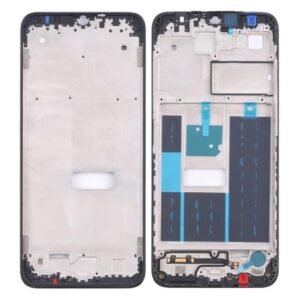
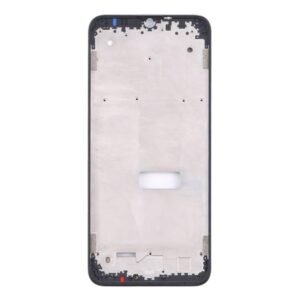
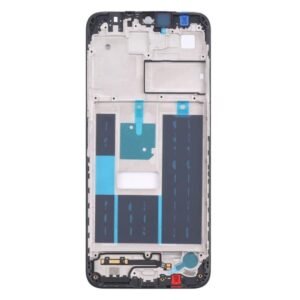
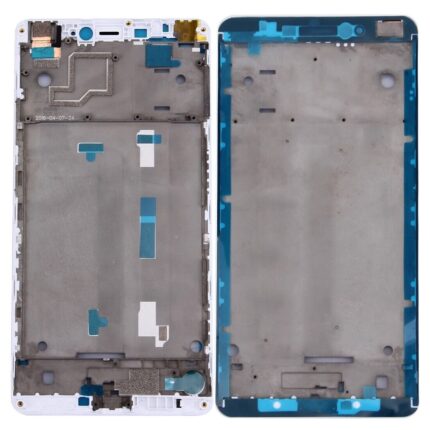
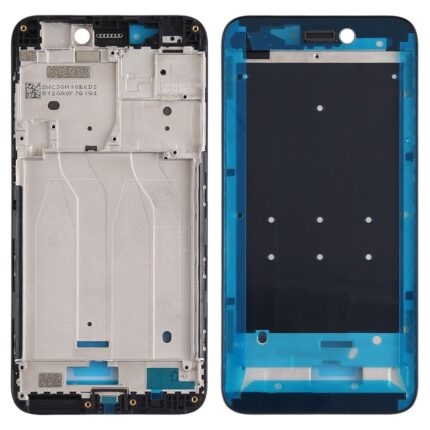
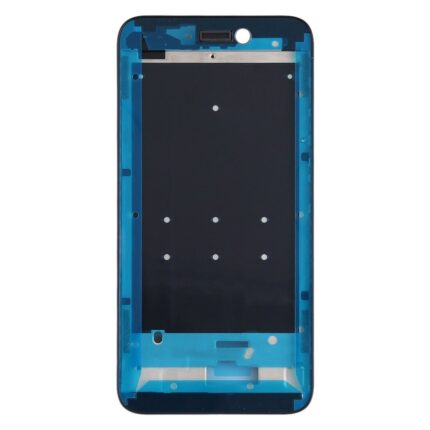
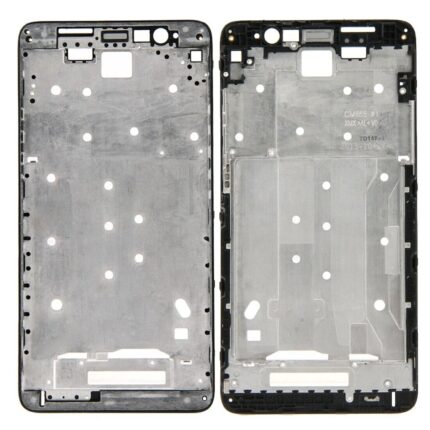
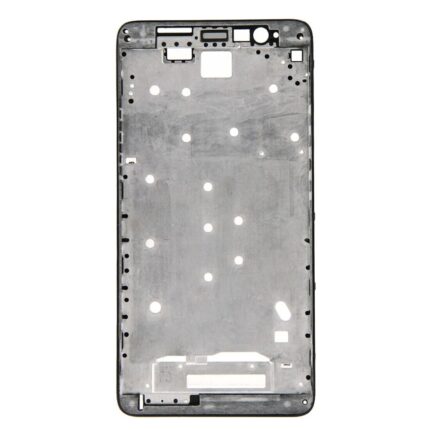
Is your Nokia G20 showing signs of wear and tear? The Lcd Middle Frame for Nokia G20 is the perfect solution to restore your device to its original glory. Available at phoner.in, this premium replacement part ensures durability, a perfect fit, and easy installation, making it the ideal choice for mobile repairs. In this comprehensive guide, we’ll delve into the features, benefits, and installation process of the Lcd Middle Frame for Nokia G20, ensuring you have all the information you need to make an informed purchase.
Why Choose the Lcd Middle Frame for Nokia G20?
High-Quality Materials
The Lcd Middle Frame for Nokia G20 is made from superior quality materials, ensuring durability and longevity. This frame is designed to withstand everyday wear and tear, providing robust protection for your device. Whether you’re dealing with accidental drops or regular usage, this frame will keep your Nokia G20 safe and secure.
Perfect Fit
Designed specifically for the Nokia G20, this Lcd Middle Frame ensures a seamless fit. All cutouts for buttons, ports, and connectors are precisely aligned, maintaining the functionality and aesthetic appeal of your device. This perfect fit makes the installation process straightforward and hassle-free.
Key Features of the Lcd Middle Frame for Nokia G20
Enhanced Durability
Constructed from high-quality materials, the Lcd Middle Frame for Nokia G20 offers enhanced durability. It protects your device from damage caused by daily use, ensuring your phone remains in excellent condition for longer. This durability makes it a cost-effective solution for extending the life of your Nokia G20.
Easy Installation
Replacing the middle frame of your Nokia G20 is simple with this product. The Lcd Middle Frame is designed for easy installation, with all necessary components and instructions included. You don’t need to be a professional technician to replace your old frame with this new one. Follow the step-by-step guide, and you’ll have your device looking brand new in no time.
Aesthetic Appeal
The Lcd Middle Frame for Nokia G20 not only provides functionality but also enhances the overall look of your device. Its sleek design and smooth finish give your Nokia G20 a refreshed and polished appearance. With this frame, your phone will not only function better but also look great.
Benefits of Upgrading to the Lcd Middle Frame for Nokia G20
Restores Functionality
Over time, the middle frame of your Nokia G20 may become damaged, affecting the phone’s functionality. Upgrading to the Lcd Middle Frame for Nokia G20 restores the original functionality of your device. All buttons, ports, and connectors will work perfectly, ensuring your phone performs optimally.
Cost-Effective Solution
Investing in the Lcd Middle Frame for Nokia G20 is a cost-effective way to extend the life of your device. Instead of spending a significant amount on a new phone, you can replace the frame and enjoy a like-new device. This replacement is an economical solution that offers excellent value for your money.
6-Month Guarantee
At phoner.in, we are committed to providing high-quality products. The Lcd Middle Frame for Nokia G20 comes with a 6-month guarantee, giving you peace of mind. If you encounter any issues with the frame, our customer support team is ready to assist you, ensuring you have a satisfactory experience.
How to Install the Lcd Middle Frame for Nokia G20
Step-by-Step Installation Guide
- Preparation: Gather all necessary tools, including a screwdriver, plastic opening tools, and adhesive strips. Ensure your Nokia G20 is powered off and remove the SIM card tray.
- Removing the Old Frame: Use the plastic opening tool to gently pry off the old frame. Be careful not to damage the phone’s internal components. Start from one edge and work your way around the frame.
- Cleaning the Surface: Once the old frame is removed, clean the surface thoroughly to remove any dust, dirt, or adhesive residue. This step ensures a strong bond between the new frame and the phone.
- Aligning the New Frame: Carefully align the Lcd Middle Frame for Nokia G20 with your device. Make sure all cutouts for buttons, ports, and cameras are perfectly aligned. Gently press the frame into place.
- Securing the Frame: Use the adhesive strips provided to secure the new frame. Press firmly to ensure it sticks well. Reinsert the SIM card tray and check that all buttons and ports are functioning correctly.
- Final Check: Power on your Nokia G20 and test all functions. Ensure that the screen, buttons, and ports are working seamlessly. Your Nokia G20 should now look and perform like new!
Customer Reviews and Testimonials
Real Experiences from Our Valued Customers
“Replacing the frame on my Nokia G20 with this Lcd Middle Frame was a breeze. The fit is perfect, and my phone looks brand new. Highly recommend this product!” – John D.
“The quality of this frame is outstanding. It was easy to install, and the phone feels more durable than ever. Great buy!” – Lisa M.
Frequently Asked Questions
What is included in the package?
The Lcd Middle Frame for Nokia G20 package includes the frame itself, adhesive strips, and a detailed installation guide.
Is the frame compatible with all Nokia G20 models?
Yes, the Lcd Middle Frame for Nokia G20 is designed to fit all variants of the Nokia G20.
How long does the installation take?
The installation process typically takes around 30 minutes, depending on your experience. Our guide makes it easy to follow, even for beginners.
Technical Specifications
- Material: High-quality plastic and metal alloy
- Compatibility: Nokia G20
- Color Options: Black, White, and Blue
- Warranty: 6 months
Call to Action
Don’t wait to restore your Nokia G20 to its former glory. Order the Lcd Middle Frame for Nokia G20 today from phoner.in and enjoy a seamless and stylish upgrade. Click here to buy now and take advantage of our special offer!
Additional Tips for Maintaining Your Nokia G20
Regular Cleaning
Keep your Nokia G20 clean by wiping it down regularly with a soft, dry cloth. Avoid using harsh chemicals or abrasive materials that could damage the frame or screen.
Use a Protective Case
Consider investing in a protective case to provide extra cushioning and prevent future damage. A good case can significantly extend the life of your Nokia G20.
Avoid Extreme Conditions
Protect your device from extreme temperatures and moisture. Store your phone in a cool, dry place to prevent overheating and water damage.
Troubleshooting Guide
If you encounter any issues with your new Lcd Middle Frame for Nokia G20, refer to this quick troubleshooting guide:
- Frame Loose: Ensure all adhesive strips are securely applied and that the frame is properly aligned.
- Button Malfunction: Check that all buttons are correctly seated and that the frame’s cutouts align perfectly.
- Screen Issues: Ensure the screen is properly connected to the frame. Re-seat the connections if necessary.
By following these guidelines, you can ensure a smooth installation process and long-term satisfaction with your Nokia G20’s new frame.
Final Thoughts
The Lcd Middle Frame for Nokia G20 from phoner.in is designed to offer unmatched quality, ease of installation, and aesthetic appeal. Whether you are repairing damage or simply upgrading your device, this frame is the perfect choice. Don’t settle for anything less than the best – order your Lcd Middle Frame for Nokia G20 today and experience the difference for yourself!
Summary
The Lcd Middle Frame for Nokia G20 is a high-quality replacement part that ensures your phone remains durable, functional, and visually appealing. With its perfect fit, easy installation, and 6-month guarantee, this frame is a smart investment for any Nokia G20 owner. Order now from phoner.in and give your device the upgrade it deserves!
Additional Resources
How to Maximize Your Nokia G20’s Performance
Learn how to keep your Nokia G20 running smoothly with these handy tips:
- Optimize Battery Life: Use battery-saving features and apps to extend your phone’s battery life.
- Regular Software Updates: Keep your device updated to enjoy the latest features and security enhancements.
- Backup Your Data: Regularly back up your important data to avoid losing it during repairs or updates.
Common Issues and Solutions
Here are some common issues you might face with the Lcd Middle Frame for Nokia G20 and their solutions:
- Screen Flickering: Ensure the screen is properly connected to the frame. Check for any loose connections or damaged components.
- Button Sticking: Clean the buttons and check for any debris or dust that might be causing them to stick. Ensure the frame is properly aligned.
By following these tips and troubleshooting steps, you can ensure your Nokia G20 stays in excellent condition with its new Lcd Middle Frame.
Conclusion
The Lcd Middle Frame for Nokia G20 is the ultimate solution for anyone looking to enhance their phone’s durability and aesthetics. With its superior materials, perfect fit, and easy installation, this frame ensures your Nokia G20 remains in top condition. Plus, with a 6-month guarantee, you can be confident in your purchase. Available exclusively at phoner.in, this frame is a must-have for all Nokia G20 owners.
Click here for Nokia G20 Mobile Specification
Click here for Nokia G20 LCD Display Folder